 Feb 22·1 replybitch mob
setup the container registry and pushed my first container to it. when i first set it up i could not login to it from podman and after some time i realized that it was trying to pass authentication to port 443 of the host which is not mapped to the gitlab container since its rootless. found one guy who also had this problem and he setup nginx on the host to forward traffic from 443 to the port mapped to the container's port 443 (8443 in my case). after that i was also to login and then tag and publish the ubi9 image so ima spend time this weekend diving into ci/cd and figuring it out. also followed the docs to setup the metadata database for the container registry.


got the pipeline up and running but now i gotta figure out the settings i need for this job to build a container from within a container. had to change settings to deny tls verification for podman login (i'll probably find a way to pass the intermediate cert into the build environment to remedy this), edit the gitlab runner config for fuse-overlayfs to work correctly and now i got to figure out a permissions issue for 'mkdir /dev/mqueue' that is failing for job. also need to setup environment variables for all the sensitive items like registry credentials and subscription-manager activation key.
- Mar 1·edited·1 replybitch mob
got the pipeline up and running but now i gotta figure out the settings i need for this job to build a container from within a container. had to change settings to deny tls verification for podman login (i'll probably find a way to pass the intermediate cert into the build environment to remedy this), edit the gitlab runner config for fuse-overlayfs to work correctly and now i got to figure out a permissions issue for 'mkdir /dev/mqueue' that is failing for job. also need to setup environment variables for all the sensitive items like registry credentials and subscription-manager activation key.
turns out i was trying to do this the hard way and when i used the buildah container it worked instantly lmao. every loss is a lesson.
also setup some ci/cd variables in gitlab and a registry deploy token so i don't have to hard code credentials in the gitlab-ci.yml file. gonna try getting the intermediate ca cert into the buldah container so that i don't have to use the tls-verify=false option for accessing the registry.
- Mar 1bitch mob
turns out i was trying to do this the hard way and when i used the buildah container it worked instantly lmao. every loss is a lesson.
also setup some ci/cd variables in gitlab and a registry deploy token so i don't have to hard code credentials in the gitlab-ci.yml file. gonna try getting the intermediate ca cert into the buldah container so that i don't have to use the tls-verify=false option for accessing the registry.
completely forgot that i can just build a new container with the cert already added and trusted and then make that my default buildah container for gitlab jobs.

- Mar 6


finally got the pipeline to succeed, took a lot of tries before i understood exactly how to pass ci/cd variables from gitlab to the build container and then to the rhel9 bootc image to register with red hat. don't mind the container name, i was trying the ubi9 container first but then switched to bootc (the size is also a giveaway).
- Mar 9
reconfigured my gitlab and elastic hosts to use firewalld nat redirect rules to send incoming traffic on port 443 to the ports that the services are listening on. shout-out to red hat's 'into the terminal' youtube series for putting me on to this magical technology. might need to implement this for a couple of rhel systems at work so people won't have to remember various port numbers.

- Apr 4·edited

so close to network booting a vm using a bootc image. initially the boot process would fail and leave me with a blank screen so i screen recorded the process to get the exact error message and the fix was to increase the ram to a minimum of 4gb (access.redhat.com/solutions/7003408).
update: i had to change my wget commands in the %pre section of the kickstart to pull the intermediate / root certs and it pulled the bootc image from the registry on the next attempt.
 Apr 5
Apr 5 Dankmustard Mobile
Install gentoo
nah but new users interested in gentoo could definitely try redcore which is a great gentoo fork
 Apr 18
Who in here has set up a Wazuh lab before? Need help with something
 Apr 27
fwiw, Tailscale free tier now allows unlimited devices.
- May 3·1 reply

time to learn about secrets management and try to integrate it with gitlab.
- May 4bitch mob
time to learn about secrets management and try to integrate it with gitlab.

setup the container to not run in dev mode so that it will operate in a more secure and production-ready state. this one made me learn about the 'podman commit' command to edit an image because i needed to change the CMD to remove dev mode and also specify the path to the config file. also learned about the 'U' option for volume mounts to fix any ownership permissions for container users. took some time to get the config file right jumping between google ai responses and the openbao docs and inspecting the container image itself.
- May 27
tailscale is very nice.
- May 27·1 reply
Love living in the terminal, been studying CEH for fun, needed to run a vm so figured out how kvm worked last night
- May 27


upgraded the ram on the two optiplex 7060 micro computers so they have 64gb each. i want to swap out the intel nuc since it maxes out at 16gb ram but i'm not too worried about that yet.
also bought an old laptop, put fedora silverblue on it and got it on tailscale so i can access my stuff from wherever.
 neon 🍄OPMay 29Dankmustard Mobile
Love living in the terminal, been studying CEH for fun, needed to run a vm so figured out how kvm worked last night
kvm very nice for a lab
- May 31·edited·1 reply


setup the acme provisioner on my step-ca instance and configured the proxmox hosts to use it for certificate renewals. first time dealing with acme for certs but i am familiar with automated cert handling through scep and windows certification authority / network device enrollment services.
 stanciu 🔆Jun 4·1 replybitch mob
setup the acme provisioner on my step-ca instance and configured the proxmox hosts to use it for certificate renewals. first time dealing with acme for certs but i am familiar with automated cert handling through scep and windows certification authority / network device enrollment services.
i know openbao is not a PAM but do u know a free / open source one i can use?
- Jun 4stanciu
i know openbao is not a PAM but do u know a free / open source one i can use?
i do not, i have only been exposed to enterprise solutions from one identity and delinea.
- Jul 22·1 reply

slight pivot, time to actually learn networking and go through ccna material.
- Jul 25·editedbitch mob
slight pivot, time to actually learn networking and go through ccna material.

grind time. first thing i want to do is get the external connector configured so that i can access the nodes from my other virtual machines. i also want to create a baseline lab first and then export it as a yaml so i can recreate it whenever using ansible. may not keep the nexus 9k switch in because it is resource heavy and just stick with multiple ios-xe nodes.
- Jul 26·2 replies
Best resources for Linux fundamentals?
- Jul 28·1 replyCRACKASTEPPAVEGAN
Best resources for Linux fundamentals?
Honestly just downloading in a vm or dual booting n trying s*** yourself the best way to learn.
This was good too tho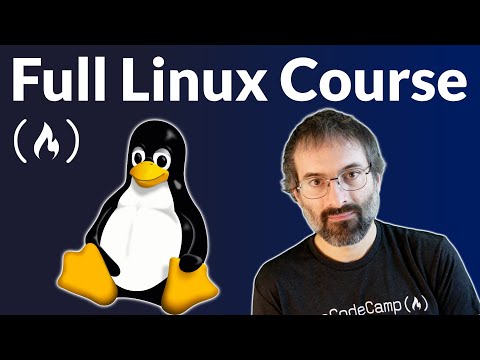
- Jul 28·2 repliesDankmustard Mobile
Honestly just downloading in a vm or dual booting n trying s*** yourself the best way to learn.
!https://www.youtube.com/watch?v=sWbUDq4S6Y8
This was good too thoYeah I got the Kali VM loaded. Thanks
- Jul 28CRACKASTEPPAVEGAN
Yeah I got the Kali VM loaded. Thanks
kali a great launching off point, esp if you trying to do any CEH related stuff, but once u know a bit you'll realize you can turn any debian based distro into kali very simply
- Jul 28·1 replyCRACKASTEPPAVEGAN
Yeah I got the Kali VM loaded. Thanks
sudo apt install curl wget ufw tmux fzf btop
look into any u want before instaklling, but i use most of these everryday
