 neon 🍄Nov 29, 2020·edited
 kat towns fan
for anyone who uses time machine, i have to cop an external for it right?
i have a lacie but it says id have to erase everything<<<<yeah new file system, it's a lot faster at least like 3x with SSDs
they kept the old one around just for Time Machine but now they got rid of it and made Time Machine work with the new one.. at least it's great news if you have a SSD for backups
i have 3 backups ima keep 1 on the old one and roll 2 of them over as new backup drives
but yeah you need a second one if you don't wanna lose that file history Nov 29, 2020·1 reply
 Cody
CodyCan’t stop watching videos on the new air. Really want one even though I have zero problems with my 2012 mbp. Kinda annoying I’d have to keep music on an external tho
Why would you have to keep music on an external?
- Nov 29, 2020·1 replyYA ICEMAN ACE
Why would you have to keep music on an external?
got around 250gb so either Id have to use external or pay more for the 512 and even then it'd take up half of it
 AR15 💯Nov 29, 2020·1 reply
Just got the 12 pro max
No real diff from my 11 pro max but it feels nicer
- Nov 29, 2020Cody
got around 250gb so either Id have to use external or pay more for the 512 and even then it'd take up half of it
Yeah I always opt for a lot of SSD storage because my music library is insane. Got the 1TB this time for my M1 MBP... pushing a 19,000 song iTunes library
- Nov 29, 2020
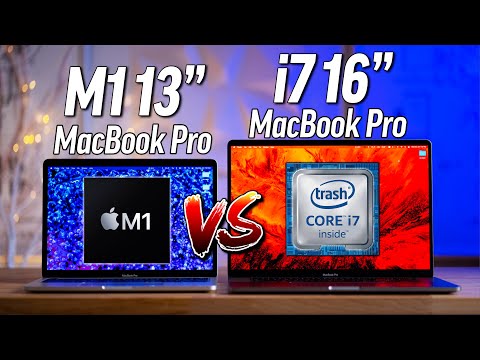
mind blowing
 Nov 29, 2020·1 reply
good watch^
- Nov 29, 2020·2 repliesAR15
Just got the 12 pro max
No real diff from my 11 pro max but it feels nicer
LMFAO


- AR15 💯Nov 29, 2020·1 replyFiend
LMFAO
It was a gift 😂
 Nov 29, 2020!https://www.youtube.com/watch?v=4MkrEMjPk24&ab_channel=LinusTechTipsHeatwaves
good watch^
thank you for posting this
i've been waiting on this nigga to post a video lol damn
- Nov 29, 2020·1 reply
do you guys have any 13 inch sleeve or case recommendations?
- Nov 30, 2020
I've seen the phrase "black magic" describing these new Macs so many times lmao
- Nov 30, 2020AR15
It was a gift 😂
damn OKAY THATS A WIN

- Nov 30, 2020kat towns fan
do you guys have any 13 inch sleeve or case recommendations?
This puppy working pretty well for me so far tomtoc.com/products/13-inch-laptop-bag-gary-for-macbook-air-pro available on Amazon
 Nov 30, 2020·1 reply
Got Apple Watch SE as a gift for my bday

Is there anything I should adjust or download any apps?
- Nov 30, 2020·1 replyrip armani x
yeah a library file will have all the metadata for your song library (song plays, ratings, playlists) but you still need your folder with all the music files in the right place for them to play
thanks, late reply but would this also overwrite my current itunes library so there is only one library active at a time? or is there a way to create a separate library and just see what these old files come up with while maintaining the current library?
- Nov 30, 2020·1 replyZorgan
thanks, late reply but would this also overwrite my current itunes library so there is only one library active at a time? or is there a way to create a separate library and just see what these old files come up with while maintaining the current library?
what do you mean by active library? you mean like synced to your phone?
- Nov 30, 2020·1 replyrip armani x
what do you mean by active library? you mean like synced to your phone?
I guess in itunes is it possible to have more than one library? my only concern with importing my old library files is it will overwrite my current library and delete playlists and the like
Looks like it's possible from a quick search, sorry haha:
support.apple.com/guide/itunes/use-multiple-itunes-libraries-itns3259/windows - Nov 30, 2020
In related news...
Just bought the new M1 Macbook Air after being a Windows user all my life. Really excited to have all this computing power coming from an i3 with 4gb RAM.
That being said, looking to become more familiar with MacOS and learn as much as I can before the laptop arrives. Any tips for a beginner or any videos, resources, etc? Also curious about integration with iphone. I imagine that will be much improved with a Mac
- Nov 30, 2020·1 replyZorgan
I guess in itunes is it possible to have more than one library? my only concern with importing my old library files is it will overwrite my current library and delete playlists and the like
Looks like it's possible from a quick search, sorry haha:
https://support.apple.com/guide/itunes/use-multiple-itunes-libraries-itns3259/windowsI believe it is possible to export the files for your playlists, and actually the metadata for your whole library so your tracklists, play counts, and everything can be downloaded and imported again.
I think it depends on what version of MacOS/iTunes do you have?
- Nov 30, 2020·1 replyrip armani x
I believe it is possible to export the files for your playlists, and actually the metadata for your whole library so your tracklists, play counts, and everything can be downloaded and imported again.
I think it depends on what version of MacOS/iTunes do you have?
With this new macbook I'll just be starting with the latest itunes unless there's a way to load an older version?
I don't think I need the level of detail you described, more so just wanted to load the old library files and see what playlist names pop up and the songs part of them for nostalgia. Will be cool to see what I was listening to in winter 2012 for example
EDIT: just remembered itunes is gone now, so not sure if even possible to do this with the new laptop
- Nov 30, 2020·1 replyZorgan
With this new macbook I'll just be starting with the latest itunes unless there's a way to load an older version?
I don't think I need the level of detail you described, more so just wanted to load the old library files and see what playlist names pop up and the songs part of them for nostalgia. Will be cool to see what I was listening to in winter 2012 for example
EDIT: just remembered itunes is gone now, so not sure if even possible to do this with the new laptop
Yes so you can download your playlists by going to them in Music and going to
File > Library > Export playlist
It should save it as a text file, then you should be able to import them on a new computer
- Nov 30, 2020·1 replyrip armani x
Yes so you can download your playlists by going to them in Music and going to
File > Library > Export playlist
It should save it as a text file, then you should be able to import them on a new computer
thanks, I have my current library in windows backed up as an xml file. is Music on Mac basically the new itunes and I can play my local files? is spotify usable and solid on Mac too?
- Nov 30, 2020·2 repliesZorgan
thanks, I have my current library in windows backed up as an xml file. is Music on Mac basically the new itunes and I can play my local files? is spotify usable and solid on Mac too?
Yes Music is the new iTunes.
To save all your playlists you will have to go into each one and you have to click Export Playlist. It should download as a txt file
I haven't used Spotify, and AFAIK it hasn't been updated for M1 yet, but yes it should still work under Rosetta
- Nov 30, 2020rip armani x
Yes Music is the new iTunes.
To save all your playlists you will have to go into each one and you have to click Export Playlist. It should download as a txt file
I haven't used Spotify, and AFAIK it hasn't been updated for M1 yet, but yes it should still work under Rosetta
appreciate your help, looking forward to getting this mac and becoming acclimated
